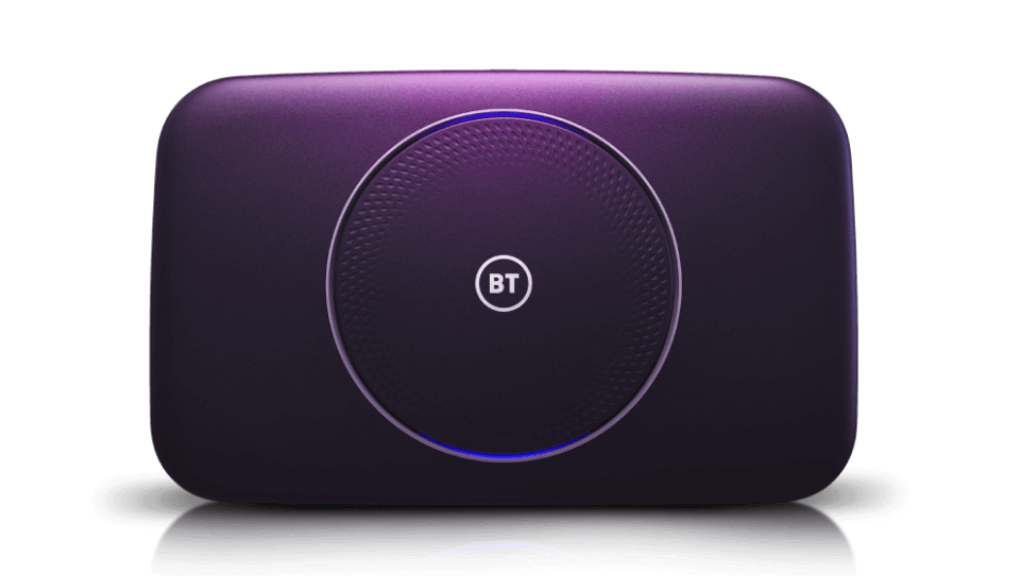
If you have a BT Smart hub, then you’re aware of the light on the front. The light indicates the status of the hub, e.g. connected to the internet, disconnected etc.
Whilst the light does serve a purpose, it can be a little annoying at night times, especially if the hub is in the living room.
Thankfully there’s a really simple way to customise the light settings. You can:
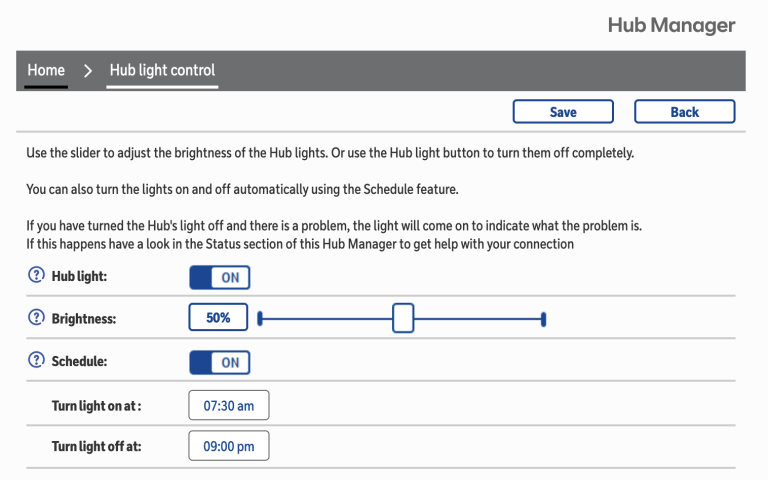
- Completely disable the light
- Dim the light
- Disable the light based on a schedule.
To adjust these settings simply do the following:
- Open your web browser of choice.
- In the URL bar enter 192.168.1.154
- Click on ‘Hub light control’ tab.
- You should now be prompted to log in. You can find the username and password on the back of your hub.
- Once logged in you should see the settings for the hub light. – Simply adjust the settings to suit your needs. As seen in the image at the end of this post, I have set mine to 50% brightness and assigned a schedule.
- Click Save
- A pop up notification should show advising you that the settings have been saved.
- That’s it. You new close the tab or browser window.